
Recent Post


Should You Fix Red Occlusion in Your Virtual Setup? Think Twice.
Stephane Reinhardt
Mar 10, 2026
Should You Fix Red Occlusion in Your Virtual Setup? Think Twice.
A common mistake in digital treatment planning with clear aligners (for example Invisalign).
One of the most common patterns I see when reviewing digital treatment setups for dentists is something that looks harmless on the screen but can have real clinical consequences.
Posterior teeth moving vertically when they were never supposed to move.
A second molar extruding 0.3 mm. A lower molar intruding 0.3 mm.
At first glance it looks harmless. The virtual setup now shows a perfectly balanced occlusion. Contacts look clean. The final stage appears tidy.
But an important clinical question should immediately come to mind.
Did you actually plan to move those teeth?
Or did the software decide to do it for you?
This is where many clear aligner treatments begin to drift away from the original treatment plan. Not because the diagnosis was incorrect. Not because the treatment objectives were unclear. But because the digital setup is trying to solve a problem that may not truly exist.
And when that happens, we sometimes introduce movements that reduce predictability instead of improving the outcome.
In clear aligner treatment, improvement is usually what we need. Perfection on the screen is often what gets us into trouble.
Dentists who begin studying clear aligner biomechanics quickly discover that understanding how to interpret these virtual setups is one of the most important skills in modern orthodontic treatment planning. This is a central topic explored in the MOCA educational programs at The CLEAR Institute.
Watch the full explanation
Prefer watching instead of reading? Here is the full video explanation from Dr Stéphane Reinhardt.
The digital perfection trap
Digital orthodontic planning tools are remarkable. Whether you are reviewing a virtual setup generated by clear aligner software or evaluating a simulation such as what we see in a ClinCheck, the level of visualization available today is extraordinary.
We can see each stage of movement. We can rotate models in three dimensions. We can evaluate occlusion at the final stage.
But these tools also create a subtle psychological trap.
When dentists look at a digital setup, we often feel an irresistible urge to correct every imperfection we see.
A contact that looks slightly heavy. A cusp that appears slightly high. A small red occlusal marking.
Suddenly the instinct is to fix it.
If the software highlights something in red, it must mean something is wrong. Right?
Not necessarily.
Sometimes the software is not revealing a real clinical problem. It is simply projecting what the occlusion might look like if every tooth reached its exact programmed position.
That distinction is critical.

Why vertical movements are the most difficult movements
Before discussing why these movements appear in digital setups, it is important to review a biomechanical reality.
Not all tooth movements are equally predictable with clear aligners.
Some movements are relatively controlled and reliable. Others are significantly more challenging.
Vertical movements fall into the second category.
Extrusion and intrusion are among the most difficult movements to achieve with aligners.
Why?
Because vertical forces are difficult to deliver consistently with plastic. Aligners rely on precise force application, attachment design, and patient compliance to produce movement. Even small variations can influence the outcome.
Extrusion requires the aligner to pull a tooth downward, which is inherently difficult with removable plastic appliances.
Intrusion requires carefully distributed forces across the tooth and surrounding structures.
Both movements are biologically sensitive and mechanically demanding.
When we introduce vertical movements that are not necessary for the treatment objective, we increase the chances that the teeth will not track exactly as planned.
And when teeth do not track as expected, refinements often follow.
The 0.3 mm posterior movement problem
Let us consider a scenario that appears frequently in virtual setups.
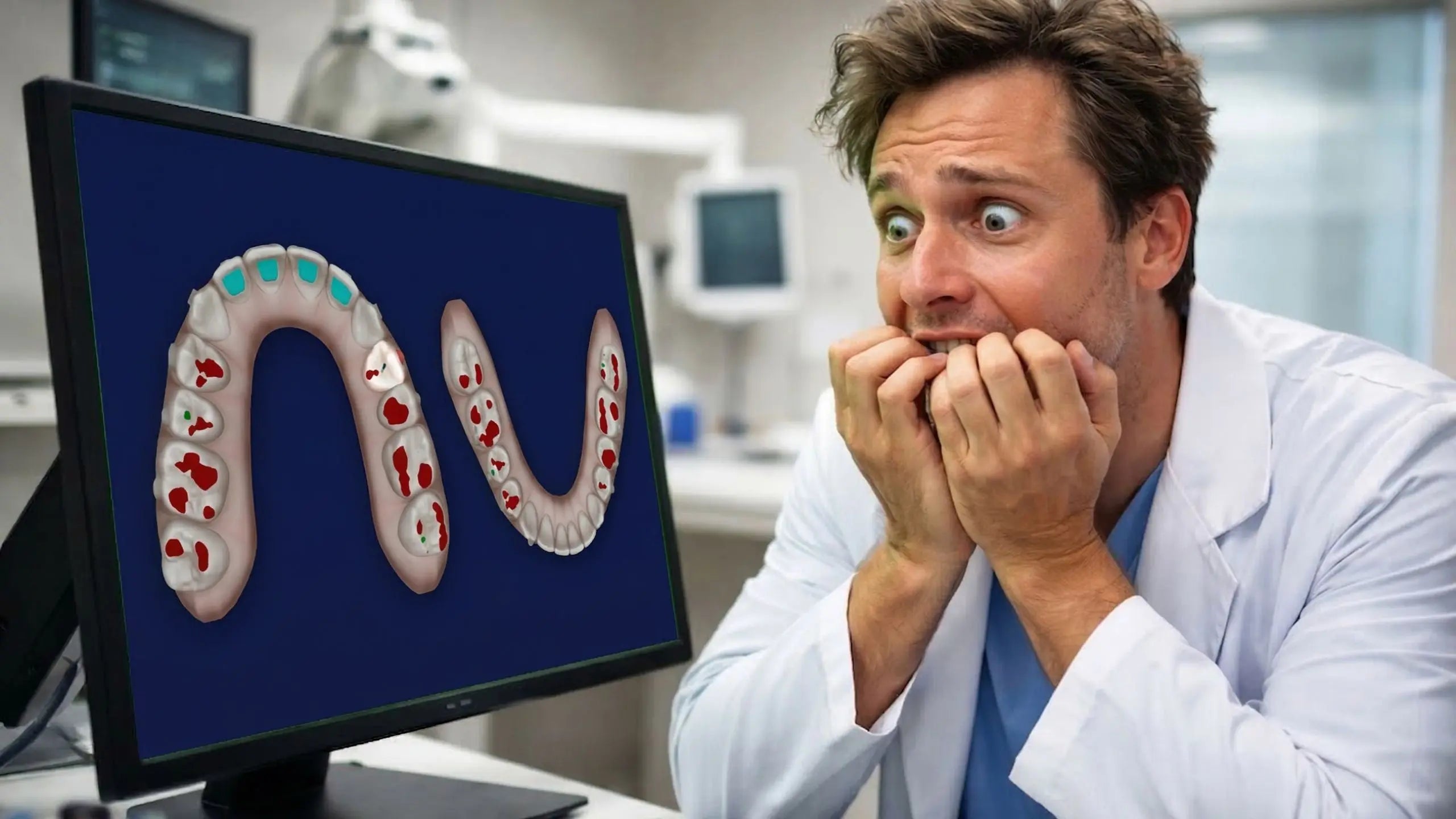
At the final stage of treatment, the occlusion appears slightly heavy on a posterior contact. The software highlights this contact in red.
To “correct” the situation, the system may begin applying several small adjustments to the molars. These adjustments are rarely limited to a single movement.
The software may introduce rotations. It may apply small tipping corrections. It may adjust torque.
All of these movements attempt to refine the contact relationship between the upper and lower molars in the simulation.
But once these movements are introduced, the vertical relationship between the teeth may also need to be “balanced” to maintain the simulated occlusion.
This is where the vertical movements appear.
The upper molar may extrude 0.3 mm. The opposing lower molar may intrude 0.3 mm.
On the screen, the occlusion now looks perfectly corrected.
But what actually changed clinically?
Very little.
The relationship between the teeth remains essentially the same. The vertical discrepancy between them is unchanged. Both teeth simply moved in opposite directions.
From a clinical perspective, we have now introduced two of the most difficult movements in aligner therapy without meaningfully improving the occlusion.
And those movements may not occur exactly as predicted.
If one tooth extrudes slightly less than planned or the opposing tooth intrudes differently than expected, the occlusion can actually become less stable than it was before treatment.
In other words, we may have disturbed an occlusion that was already comfortable.
This is the essence of what I call the 0.3 mm mistake.
Small algorithmic adjustments inside the software can trigger chains of additional movements that were never part of the original diagnosis or treatment objective.

When software solves problems you did not diagnose
One of the most important principles in orthodontic treatment planning is straightforward.
Only move teeth when there is a clear diagnostic reason to move them.
Digital treatment planning software can sometimes blur this principle.
When the system detects contacts that appear heavy in the projected final occlusion, it may attempt to “correct” them automatically.
But these adjustments are not based on your diagnosis.
They are based on algorithms.
Many digital systems aim to produce a mathematically ideal occlusion in the virtual environment. However, orthodontics is not simply mathematics.
Orthodontics is biology.
And biology does not always behave the way an algorithm predicts.
The red occlusion phenomenon
Many clinicians notice a common moment when reviewing a treatment plan.
At the final stage of the simulation, the occlusion appears highlighted in red.
Suddenly the software signals that something is wrong.
The natural reaction is concern.
Did I miss something in the diagnosis? Is the occlusion incorrect? Should I fix this before approving the case?
Sometimes the software even offers a convenient solution.
A button that promises to “fix” the occlusion automatically.
This is the moment where clinicians must pause and think carefully.
Because the final occlusion displayed on the screen is not the real occlusion.
It is a projection.

Understanding what the simulation actually shows
When we watch teeth move in a digital simulation, the movement appears smooth and precise. The animation makes it seem as though the teeth are following an exact path.
But that animation is not showing how teeth actually move.
It is simply showing the planned positions at each stage.
Real tooth movement occurs through biological processes involving bone remodeling, periodontal ligament response, and patient compliance.
Aligners deliver forces that guide teeth toward those programmed positions, but the path taken by the teeth is not identical to the animation we see on the screen.
Understanding this difference changes the way we interpret digital setups.
Instead of chasing a perfectly balanced visual occlusion in the simulation, we focus on whether the movements support the treatment objectives and respect biological predictability.
Protecting a stable posterior occlusion
Posterior occlusion is often stable before orthodontic treatment begins.
Many patients function comfortably with posterior contacts that have been present for years.
If the treatment objectives do not require modifying those contacts, introducing additional movements in those areas may not be necessary.
This is particularly true for vertical movements.
If the posterior occlusion is stable and functional, maintaining that stability can be the best clinical decision.
Sometimes the most intelligent choice in treatment planning is restraint.
Not every tooth needs to move.
And not every contact needs to look perfect in the digital environment.
The clinical question that changes everything
When reviewing a digital treatment setup for clear aligners, there is one simple question that can dramatically improve your treatment planning.
Did I plan this movement?
If the answer is no, pause and reconsider.
Return to the diagnosis. Return to the treatment objectives.
If the movement does not serve those objectives, it may not belong in the plan.
Developing this habit helps clinicians maintain control over treatment planning rather than allowing the software to guide decisions automaticall

If you are uncertain, it is often wiser to reconsider the movement before accepting the setup.
Improvement beats perfection
Dentists are naturally perfectionists. That quality drives excellence in many aspects of dentistry.
Orthodontics, however, often requires a slightly different mindset.
Orthodontic treatment rarely aims for mathematical perfection.
Instead, the goal is meaningful improvement in function, stability, and esthetics.
When clinicians chase perfection within digital simulations, they sometimes introduce unnecessary complexity.
When clinicians focus on improvement guided by diagnosis and biomechanics, treatment plans often become simpler and more predictable.
The key is remembering what we are truly trying to achieve.
A simulation that looks perfect is not the goal.
A patient with a healthy, stable, comfortable occlusion is.
Developing expertise in digital treatment planning
Clear aligners have transformed orthodontic treatment. They allow dentists to visualize treatment plans in ways that were impossible only a few decades ago.
But mastering clear aligner therapy involves more than learning how to manipulate digital tools.
It requires understanding biomechanics, diagnosis, and treatment planning principles.
When clinicians develop this deeper understanding, digital setups begin to look very different. Many dentists notice that once they truly understand biomechanics and treatment planning principles, interpreting virtual setups becomes much simpler. This is one of the core concepts explored in depth inside the MOCA educational programs at The CLEAR Institute.
Instead of trying to correct every visual imperfection in the simulation, experienced clinicians recognize which movements truly matter and which ones are unnecessary.
This shift often makes treatment planning both simpler and more predictable.
Frequently asked questions about red occlusion in virtual setups
Should I always fix red occlusion in a digital setup such as a ClinCheck?
Not necessarily. Red occlusion simply indicates that the software detects a heavy contact in the projected final position of the teeth. This is a mathematical projection of the final occlusion, not the actual biological result that will occur in the patient. In many situations the occlusion will settle naturally as treatment progresses and after aligner therapy is completed.
Why does the software sometimes introduce vertical movements automatically?
When the algorithm attempts to correct heavy contacts, it may apply several adjustments to molars such as rotation, tipping, or torque. Once those adjustments are introduced, the software may add vertical movements like intrusion in one arch and extrusion in the opposing arch to maintain the simulated occlusal relationship.
Are vertical movements predictable with clear aligners?
Vertical movements are among the least predictable movements with clear aligners. Extrusion and intrusion require very specific force systems, attachment design, and excellent patient compliance. For that reason these movements should be introduced intentionally and only when they are part of the treatment objectives.
What question should I ask before accepting a movement in the setup?
A useful habit when reviewing a digital treatment plan is asking a simple question: did I diagnose this movement? If the movement does not clearly support the treatment objective, it may not belong in the plan.
A final thought
The next time you review a digital treatment setup and notice red occlusion at the final stage, resist the temptation to fix it automatically.
Ask yourself whether the software is identifying a true clinical problem or simply attempting to create a visually perfect simulation.
Remember that vertical movements are powerful tools that should be used intentionally.
Sometimes the most predictable treatment plan is the one that respects a stable occlusion rather than trying to perfect it on the screen.
In orthodontics, improvement often matters far more than perfection.
Key takeaways
Key principles to remember when reviewing a digital treatment setup:
1. Not every movement suggested by software should be accepted. Treatment planning must remain driven by diagnosis, not by algorithms trying to perfect a simulation.
2. Vertical movements are among the least predictable movements with clear aligners. Extrusion and intrusion should be used intentionally and only when they support a clear treatment objective.
3. A red occlusion at the final stage is a projection, not reality. The simulation represents a mathematical model, not the biological settling that will occur in the patient.
4. Protect stable posterior occlusion whenever possible. Introducing unnecessary movements can disturb an occlusion that was already functional and comfortable.
5. Improvement beats digital perfection. The goal is not to create the most beautiful simulation. The goal is a stable, functional result in a real patient.

About The CLEAR Institute
The CLEAR Institute provides education and coaching for dentists who want to integrate clear aligner treatment confidently and predictably into daily practice.
Our programs focus on understanding principles, biomechanics, and treatment planning rather than following rigid recipes.
Because when clinicians truly understand the mechanics behind clear aligner therapy, treatment planning becomes simpler, more predictable, and significantly more enjoyable.
If you would like to explore more educational resources from The CLEAR Institute:
✅ Explore all CLEAR resources, programs, and services: https://bit.ly/clearlinktree
✅ Learn more about our MOCA programs for mastering clear aligner treatment planning: https://learn.theclearinstitute.com
✅ Need help reviewing a virtual setup such as a ClinCheck? Submit your case for a personalized expert video review with ClearCheck: https://bit.ly/clear_check
These resources are designed to help dentists develop the confidence and clinical reasoning needed to integrate clear aligner therapy successfully
Share this post:
Get in touch
Let's be CLEAR
Your journey to mastering clear aligner treatment matters to us. Reach out and our team will connect with you shortly.
Fast response
Faster than a cuspid rotates
We are currently helping passionate dentists build confidence in clear aligner therapy. Stay inspired, we will be in touch soon.


Direct line
Eva Wittenberg
CLEAR Experience Manager
Languages: English, French, German, Spanish
WRITE EVALearning path
Meet with Eva
15 minute guidance call
Review your objectives, clinical experience, and the most relevant next step within the CLEAR programs.
BOOK A CALL